Wayfarer treats travel content as a front door, not a spreadsheet. Interactive globe, forty destinations across seven continents, one editorial cover in place of the catalog the original brief asked for.
Claude and I ran the user-research pass and built the trip planner around duration, not dates.
Information ArchitectureDesign SystemMulti-step Form UXAI-Assisted Build
Three problems sat inside the brief. Onboarding friction (the multi-step signup form was the most cited pain point; users dropped off mid-flow). Layout inconsistency (the existing design didn’t hold across screen sizes). And no visual storytelling (the homepage listed destinations instead of revealing them). The thread underneath: the original site shipped a database, not a destination.
Phase 1
Heuristic evaluation + site audit
Phase 2
Card sort, IA, personas
Phase 3
The discovery pivot
How I got there.
The Figma source carries the full design history. Research clusters became personas. Personas became an IA. The IA became wireframes. Wireframes became hi-fi explorations. Hi-fi became code. Three phases below. The shipped product is the last frame in the chain.
01Research
Personas and competitor audit.
Three personas synthesized from interviews. A heuristic audit of direct and adjacent travel platforms across discovery, planning, and booking. Together they answered two questions: who is this for, and what is already broken in the category. The site map and user flow that came out of this work get their own section below.
The Curious Drifter
Emma · 28 · UX Researcher
Has 14 days off, no idea where to go.
Browses moodily, Pinterest, Instagram saves, Reddit. Decision criteria are aesthetic + emotional ("feels like an adventure") more than budget-led.
Want / friction
Wants: A way to translate vibe → place. Loses: Hours to algorithmic feeds that show only what is already popular.
The Planner
Marcus · 41 · Senior Engineer
Specific dates, two adults + two kids, $8K budget.
Comparison-shops. Has spreadsheets. Tracks visa requirements, vaccinations, school holidays. Decision criteria are logistical first, aspirational second.
Want / friction
Wants: Structured comparison + planning. Loses: Trust in sites that bury the practical info (visa, weather, language) below booking widgets.
The Returner
Naomi · 35 · Travel Writer
Has traveled extensively. Saves destinations for later.
Wayfarer is her commonplace book. Bookmarks destinations she might pitch as future stories. Decision criteria are professional + curatorial.
Want / friction
Wants: A place to bookmark + annotate, no auth pressure. Loses: Trust in any platform that gates content behind sign-up.
Personas · three traveler archetypes
Atlas Obscura
Editorial · tag-led
The taxonomy is the product. Every place is tagged with categories (hidden, ruins, natural) that drive cross-linking.
Lift
Tag-led navigation feels editorial, not algorithmic.
Skip
Density of content is overwhelming for casual users.
Lonely Planet
Guidebook · essay-first
Best Time to Visit is the most-quoted field. Travelers cite it back as if it were the destination's headline.
Lift
Promote that one fact above all others in the sidebar.
Skip
Long-form essays bury the practical info.
Airbnb
Marketplace · photo-led
Photo-first grid with light filters. Hover reveals price and location.
Lift
Photo-led grid as the primary discovery surface.
Skip
Booking-first framing. Wayfarer is upstream of that decision.
Competitor audit · three lifts, three skips
02Explorations
Paper, then pixels.
Every screen started as a paper sketch. Seven hand drafts mapped the signup flow before a single Figma frame. Below: Step 1 in its original sketch and its v.4 hi-fi, then the iteration trail (seven mobile homepage versions, four signup versions) kept in the Figma source as proof of the work.
Step 1 · paper to product
Left: v.4 hi-fi · right: pencil draft
Homepage · mobile v.7
v.7 · frame 02v.7 · frame 03
Multi-step signup · desktop v.4
v.4 · step 2 travel stylev.4 · step 3 interests
03Wireframes
Mid-fi wireframes.
Four key surfaces wireframed before the hi-fi: homepage as editorial cover, globe as discovery surface, trip planner with the three primitives, and the multi-page signup. Each ships in the live product.
Homepage
Globe · Discover
Trip planner
Multi-page signup
Six routes, two flows, one discovery loop.
Wayfarer’s IA is intentionally shallow. Every primary destination is reachable in one click from the navbar. The deeper structure is the discovery loop: Home → Discover (or Destinations) → Detail → Planner → back. Each route in the map corresponds to a file at src/app/{slug}/page.tsx. Modals and overlays are separated from the route layer because they sit above route state, not within it.
Four weeks into building with AI-assisted development, I had a working booking interface. Hotels, cars, full detail pages with pricing. The tools made it trivial to go from concept to functional UI in hours. The brief said discovery, not booking. I scaled it back. Removed hotel and car booking from destination pages. Kept the globe explorer, the trip planner, and the multi-step signup as the center of gravity. AI tools expanded what was possible to build. The discipline was deciding what not to build.
Editorial, not booking-engine.
Navy + coral on paper. Globe wordmark anchors the brand. Voice borrows from National Geographic and Apartamento more than from Expedia. The token names matter: every brand color in the system maps directly to a CSS variable in production. The Figma file IS the source of truth; this case study is the editorial cut.
Tokens first. Code-cross-referenced.
Four color ramps, nine type styles, eighteen documented components. Every component in the Figma source carries a ‘MATCHES src/...’ cross-reference to the production file it ships from. Design system coherence isn’t a claim; it’s a paper trail.
01 · Color tokens
Swipe ← → to explore · full view on desktop
Brand + Accent + Neutrals
Brand · Navy#3E3C78 · Identity
Accent · Terra Cotta#D27A5E · Interaction
Papervar(--color-neutral-50) · Surface
Ink#191824 · Text
One palette. Three roles. Two modes. Ten-step primitive ramps live in the desktop artifact above; semantic aliases swap between Light and Dark.
02 · Typography
Swipe ← → to explore · full view on desktop
Two typefaces, each with a job
Space Grotesk · Display + headings
Unforgettable new destinations.
Discovery by design.
Inter · Body + UI
Wayfarer is a discovery tool, not a booking platform. Everything had to survive that filter.
Email address
Display and heading rendering goes to Space Grotesk. Body, UI, and small type go to Inter. The roles are structural and they don’t overlap.
One vocabulary. Three projects.
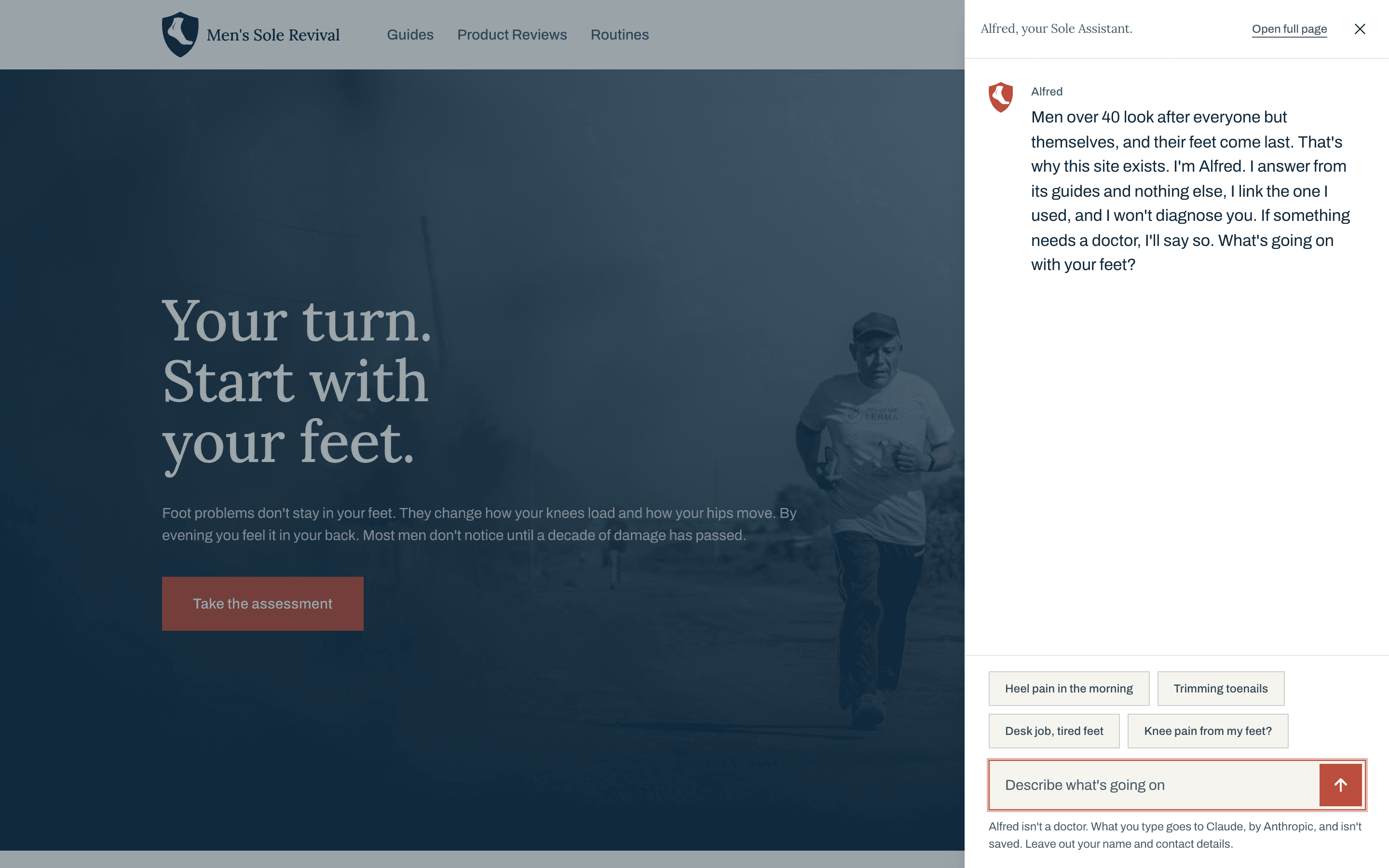
Same token names, different values per project. Wayfarer ships navy + coral. The portfolio system (AB Core) and Men’s Sole Revival share the same primitives at different points on the ramp. The naming convention is the contract; values are the variable.
Token
Wayfarer
AB Core
MSR
brand-500
#3E3C78
#1C3F5E
#1C3F5E
brand-900
#2C2B5A
#091016
var(--color-text)
accent-500
#D27A5E
#C4703A
#C4703A
neutral-50
var(--color-neutral-50)
var(--color-neutral-50)
var(--color-neutral-50)
neutral-500
var(--color-neutral-500)
var(--color-neutral-500)
var(--color-neutral-500)
Swipe to see more →
Token table excerpted from the AB Core Library. Same naming convention across all three projects.
Shipped.
wayfarer.barreiro.com is live. Homepage, globe explorer, destinations grid, destination detail templates, trip planner, 5-step signup. Six-page IA mapped to user verbs: orient, browse, explore, evaluate, plan, personalize. Eighty-seven destinations live on the globe. Full design system documented and code-cross-referenced.
Destination template · live
One template, eighty-seven destinations.
Every destination ships through the same six-block template: hero, about, gallery, highlights, location, quick info. The template is the contract; content is the variable.
Four decisions visible on one screen.
01020304
01
Three primitives in the header.
Segments, days, saved. Three counters surface the plan’s shape at a glance. Each one is a unit of commitment: segment is high, day is medium, saved is low.
02
Plan without dates.
Each segment has a duration in days and a soft ‘When’ field set to Flexible by default. Dates are optional, not required to save the plan.
03
Transit between segments.
Distance and travel time render between adjacent segments. The plan models the gaps, not just the stops.
04
Saved sidebar stays separate.
Bookmarked destinations live in a sidebar below the segment list. A ‘maybe’ doesn’t pollute the plan until promoted to a segment.
Planner journey
Two more states. From blank to a real plan.
01Empty state · one CTA02Add-segment modal · filter then pick
Multi-step signup · live UI
Five steps, then welcome.
All six steps below, stacked in order. Each step independently validated. The review screen lets the user jump back into any step without losing input. Preference data drives the post-signup home feed.
01
Account
Account precedes preferences. Three fields, one primary action, soft tropical photography behind. The cover sets tone before it asks for data.
Account precedes preferences. Three fields, one primary action, soft tropical photography behind. The cover sets tone before it asks for data.
02
Travel style
Three preference rails: travel style, budget range, group size. The first preference question is identity, not data: how do you travel?
Three preference rails: travel style, budget range, group size. The first preference question is identity, not data: how do you travel?
03
Interests
Eight interest tags. Multi-select. No required minimum, no maximum. Skip is allowed. Drives destination feed weighting.
Eight interest tags. Multi-select. No required minimum, no maximum. Skip is allowed. Drives destination feed weighting.
04
Dream places
Six aspirational destinations as seed data. The system asks where you want to go before it tells you where to go.
Six aspirational destinations as seed data. The system asks where you want to go before it tells you where to go.
05
Review
Edit-back review screen. Account, preferences, interests, destinations — each block has its own Edit link. Any answer can be revisited without losing the others.
Edit-back review screen. Account, preferences, interests, destinations — each block has its own Edit link. Any answer can be revisited without losing the others.
06
Welcome
Confirmation modal. Green check, single warm sentence, one primary action: Start Exploring. The handoff drops the user into a personalized feed, not a generic homepage.
Confirmation modal. Green check, single warm sentence, one primary action: Start Exploring. The handoff drops the user into a personalized feed, not a generic homepage.
Brief vs delivered · scope discipline
Two things asked for. Seven shipped.
The brief asked for a homepage and an onboarding fix. The build expanded around both without breaking either. The expansion isn’t scope creep. The Bet section above shows what got cut to make room for it.
Brief asked for
Delivered
Homepage redesign
New homepage with editorial cover, globe entry point, and feature highlights
Onboarding fix
5-step signup with per-step validation, edit-back review, and welcome screen
(beyond brief)
Interactive 3D globe with 87 destinations across 8 continents
(beyond brief)
Six-page IA mapped to user verbs (orient, browse, explore, evaluate, plan, personalize)
(beyond brief)
Destination detail templates with hero, gallery, highlights, quick-info side rail
(beyond brief)
Trip planner with three primitives (segment, day, saved) and transit estimates
(beyond brief)
Full design system (tokens, type, components) cross-referenced to production code
Two rows hit the brief. Five rows expanded it. The build held discipline against what was cut, not against what was added.
Audited, not assumed.
Dedicated accessibility audit page in the Figma source. Contrast ratios for every color pairing (the warm off-white over navy pair clears 15:1; the muted variant clears 10.5:1). Focus orders documented per page. Keyboard nav patterns for the globe (continent-grid fallback). Screen-reader labels on every icon button. The artifact is the receipt.
Scorecard
Eight blocking, six partial. Eight ranked below.
Six surfaces audited, three cross-surface patterns identified. Each row below links the finding to the route where it lives, the WCAG criterion it touches, and a one-line patch. Ordered by patch effort, quickest fixes first.
01Blocking
Signup Modal · WCAG 2.4.3, 2.4.7
Focus stays on the trigger button when the modal opens.
onOpen focus a heading, ref.current.focus() on the first input.
02Blocking
Signup Modal · WCAG 4.1.2
No role="dialog" or focus trap.
Wrap in role="dialog" aria-modal="true" and add focus trap. The Search Overlay does this already; copy the pattern.
03Blocking
Sign In Modal · WCAG 2.4.3
No focus trap.
Same fix as #02. Wrap with focus trap. The role="dialog" attribute already exists.
04Partial
Signup · Step 2 · WCAG 4.1.3
Continue → Confirm & Join label change is silent.
Move focus to the Review heading on step 5 entry so screen readers re-read the new button label naturally.
05Partial
Signup · all steps · WCAG 4.1.3
Step transitions not announced.
Wrap step heading in <h2 ref={h2Ref}> and h2Ref.current.focus() on step change. Polite aria-live region is the alternative.
06Blocking
/planner · WCAG 2.1.1
Drag-reorder has no keyboard path.
Add up/down arrow handlers to each focused segment that call onReorder programmatically. Optionally expose ↑ / ↓ buttons in the action row.
07Partial
/discover, /destinations · WCAG 1.3.3
Map markers under-announce.
Expand pin aria-label to include country + tagline: aria-label="View Bhutan, Bhutan, The Last Shangri-La".
08Partial
Input fields, all forms · WCAG 3.3.1, 3.3.3
Error messages not programmatically tied.
Add aria-invalid={!!error} to each input and aria-describedby={`${id}-error`} pointing at the error span.
Discovery has to survive the phone. Hierarchy holds, the globe reduces to a continent grid, and the signup keeps its progress meter.
Sketched before pixels.
Mobile IA on paper before Figma opened. Kindle Scribe, three pages of the same phone-width canvas, sketched in one sitting.
Part 1 · Hero, sign-up prompt, first three destinations. The globe as the front door survives here as a pin-selected card list.Part 2 · Product benefits stack. Four icon-plus-header rows, each a one-line pitch, terminating in the See-for-yourself CTA.Part 3 · Explore More, Wayfarer Hub, Stay Connected, Follow the Journey, footer. The connective tissue below the fold.
Role
Product Designer · End-to-end
Year
2026 · DesignLab Concept
Stack
Figma · Next.js · Mapbox
Live
wayfarer.barreiro.com
Next chapter · v0.2
What ships next, and how I’ll know it worked.
01
Trip Planner state persistence and share links.
Return visits to a saved plan cross 25 percent of authored plans within 30 days of the change.
02
Live audit dashboard: keyboard traps, contrast, and reduced-motion coverage on every route.
Two consecutive weeks with zero unresolved WCAG AA violations across the destinations, planner, and signup routes.
03
Onboarding v2: personalization outputs a real feed at Welcome instead of a static list.
Signup completion holds above baseline while first-session bounce drops at least 10 points.