TL;DR
- The problem
- As a one-person studio, I rebuild the same buttons, inputs, and tokens on every client project. Done by hand, they drift: a spacing value here, a hard-coded hex there, and consistency erodes as the work scales.
- What I built
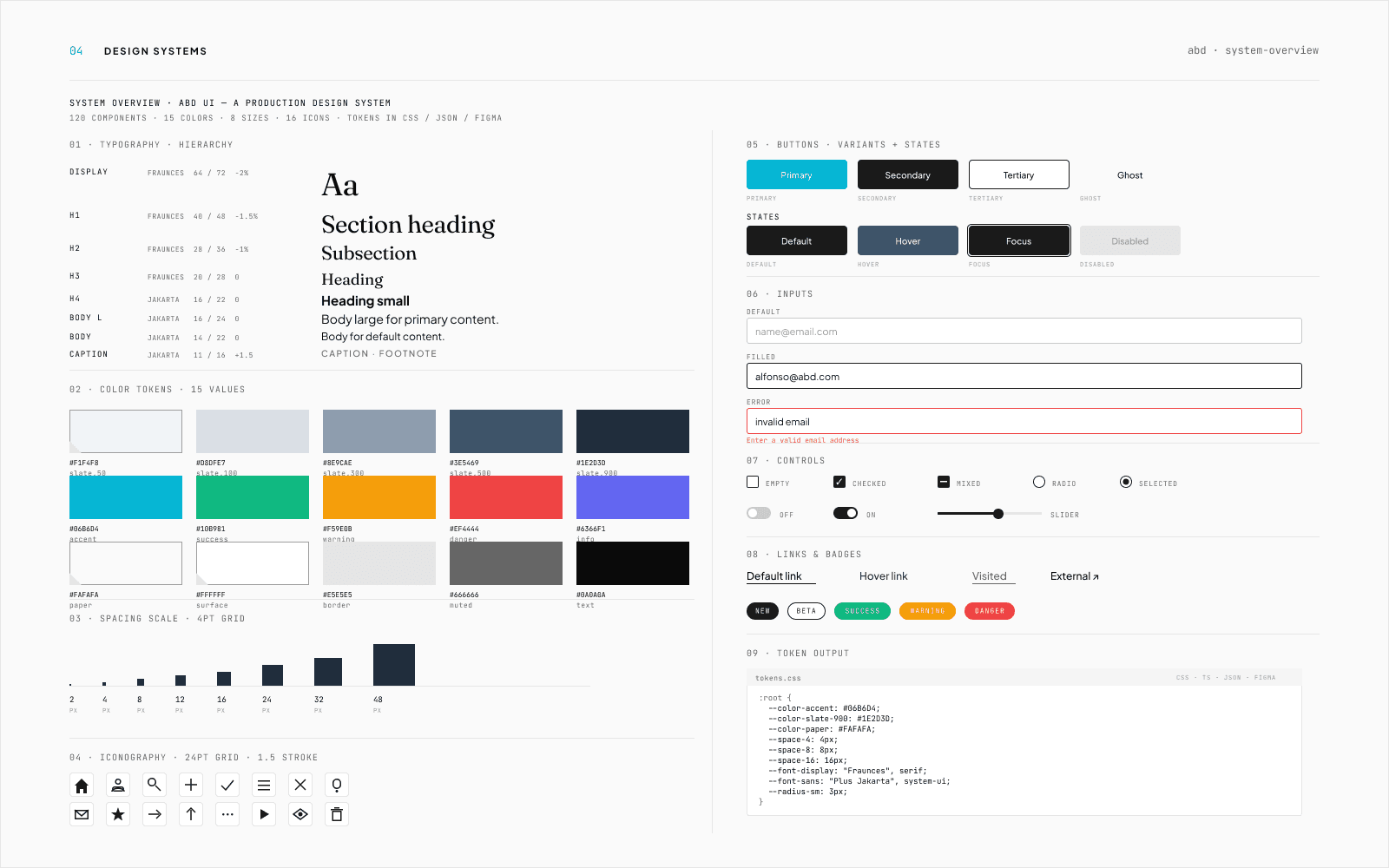
- A token-driven system. Role-based tokens at the surface, a variants-by-states component matrix, and one source of truth that publishes to CSS, JSON, and Figma so design and code never read from different files.
- The decision that matters
- Role-based tokens over a pure literal palette. The literal version was simpler until dark mode, which would have meant renaming every component reference. Role-based naming makes a theme swap a one-file change.
- Outcome
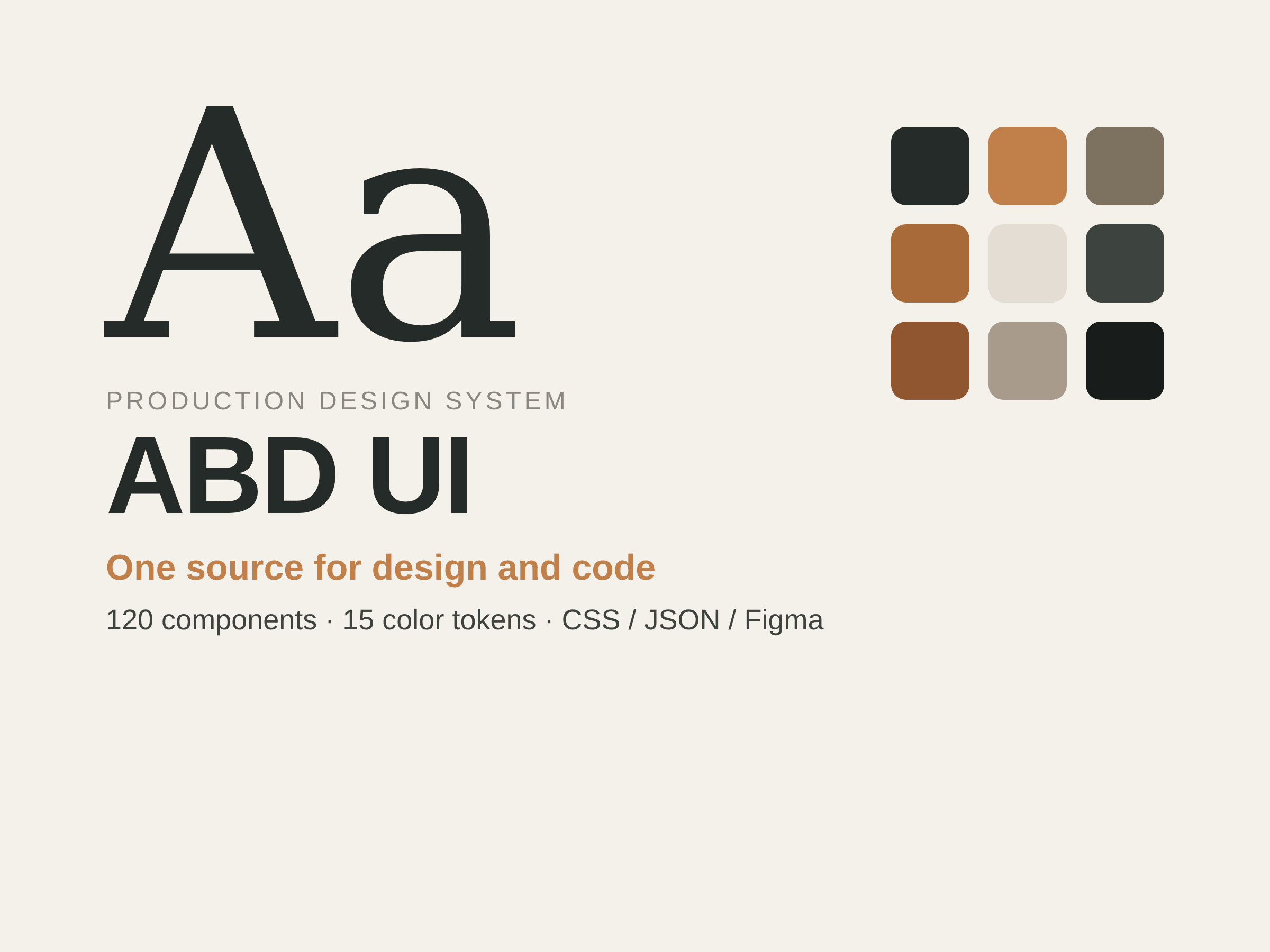
- Live and powering Alpha Beta Design client builds. 120 components, 15 color tokens, four output formats from one source, and an accessibility floor verified by automated check, not designer memory.
- Role
- Solo. Token architecture, component API, Figma library, and the build pipeline.
The problem
Alpha Beta Design ships fast: launchpad sites in two weeks, growth flagships in a month, brand systems in between. One person does all of it. At that pace, the expensive thing isn't the hero or the headline. It's the hundredth time you redraw a button, a focus ring, or an error state, slightly differently than the last time, because nothing remembers the last decision.
Hand-built UI drifts. A spacing value that should be 16 becomes 15. A color gets pasted as a hex instead of referenced as a token. None of it is visible in a single screen. All of it is visible across twelve client sites. The system exists to make "production-grade" the default, not a thing you remember to do.
Constraints
The constraints set the bar, and the bar was non-negotiable:
- One source of truth. Tokens live in one place. Everything else reads from it. No second copy of the truth in a Figma swatch panel.
- One component contract. A button is defined by its variants and states, not by which screen it sits on. No per-page one-offs.
- One accessibility floor. Contrast, focus rings, and reduced-motion are guaranteed by the system, not checked by hand at the end.
- Solo-maintainable. If it takes a team to keep it alive, it's the wrong system for this studio.
Decisions, and what each one cost
A design system is a pile of small bets about what will change later. Four of them carried the weight.
Role-based tokens over a literal palette
The first build used a pure literal scheme: slate-500, cyan-400, referenced directly in components. It was simpler to read and faster to ship. It broke the moment I tried dark mode, because every component pointed at a literal value, and dark-mode parity meant renaming all of them.
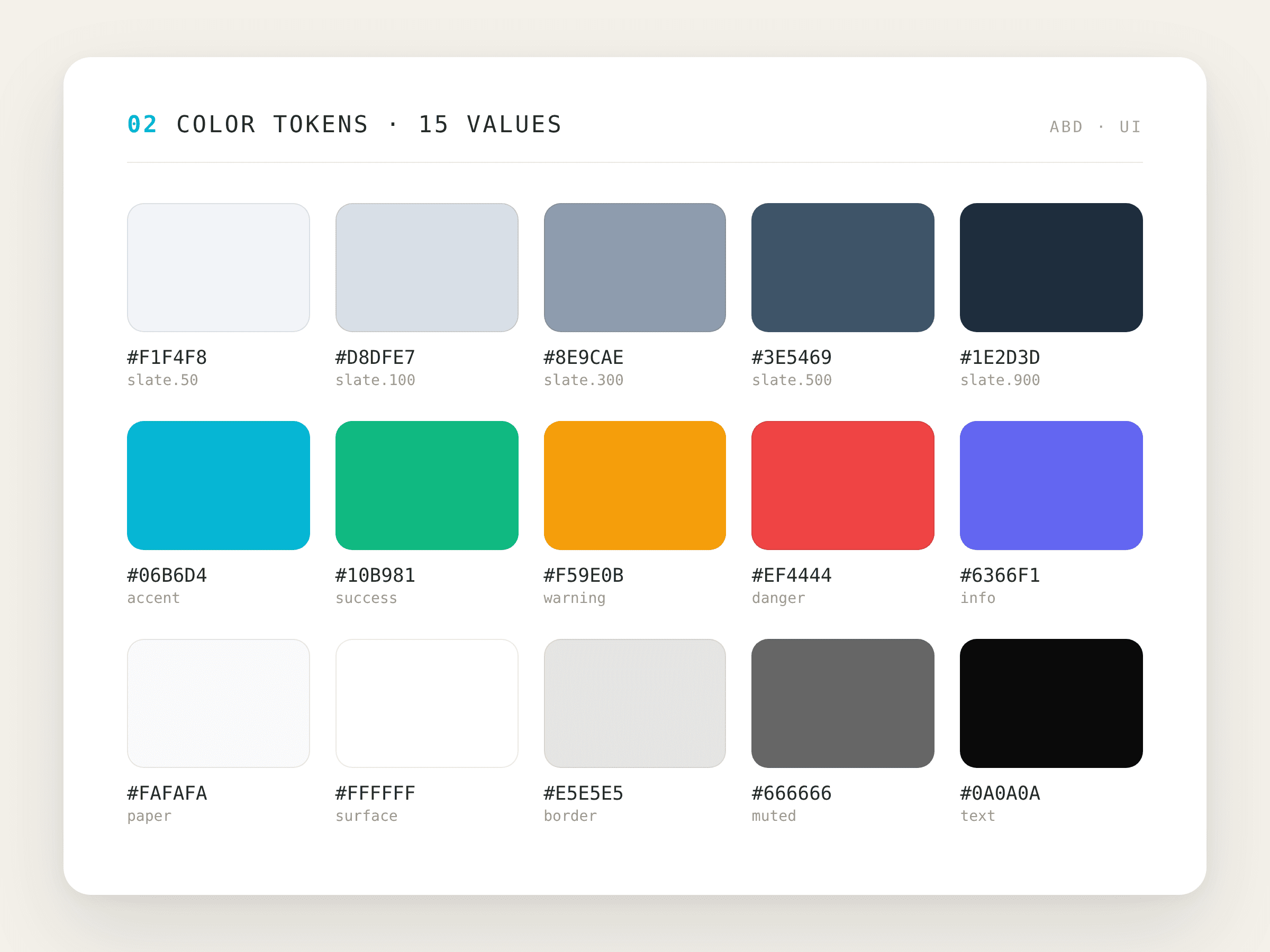
So tokens are role-based at the surface: --color-surface, --color-border, --color-muted, --color-text, --color-accent, and literal only at the palette underneath. Cost: an extra semantic layer to maintain. Benefit: a theme swap is a one-file change, and nothing downstream has to know.
A variants-by-states matrix, not per-screen components
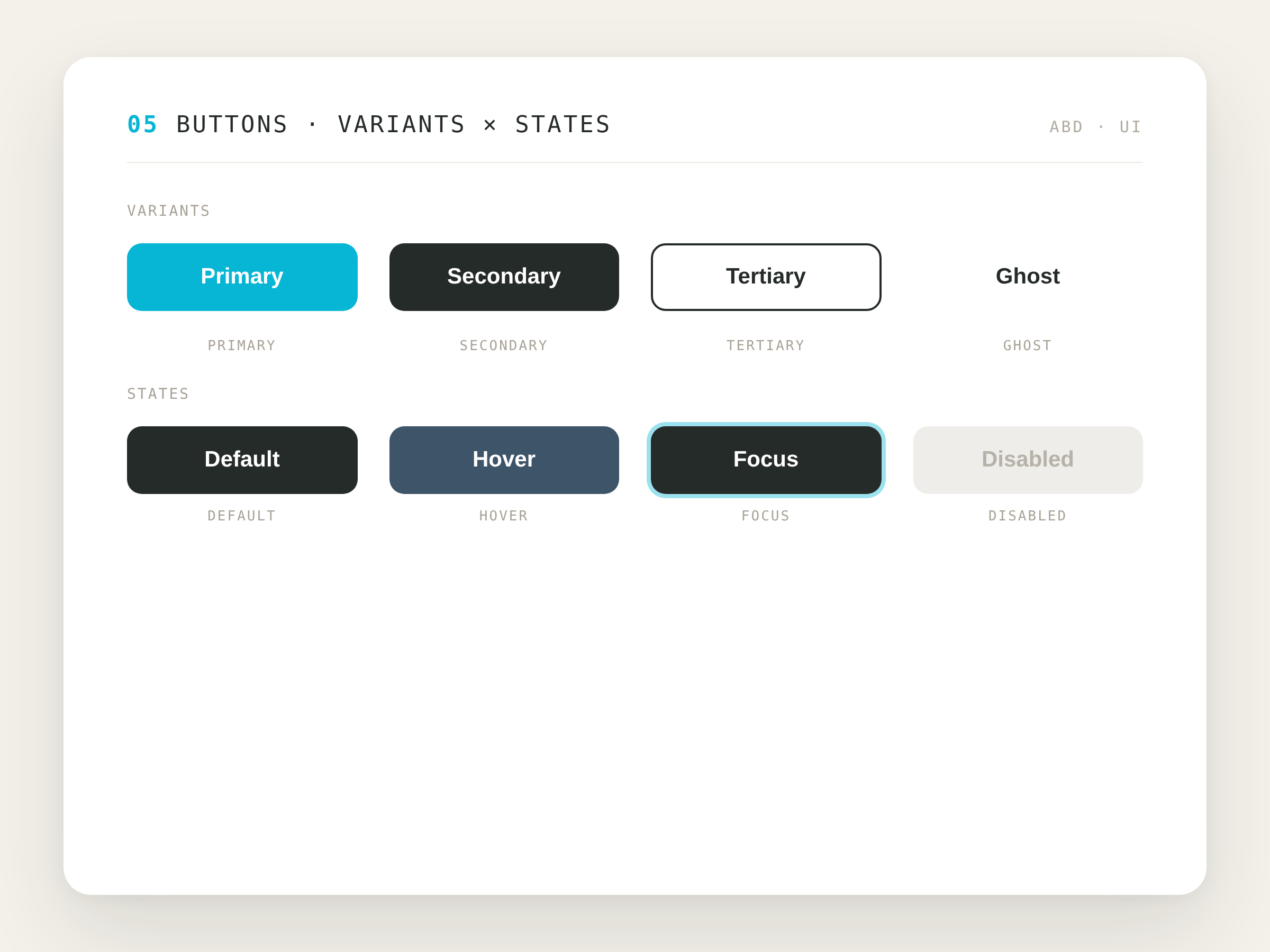
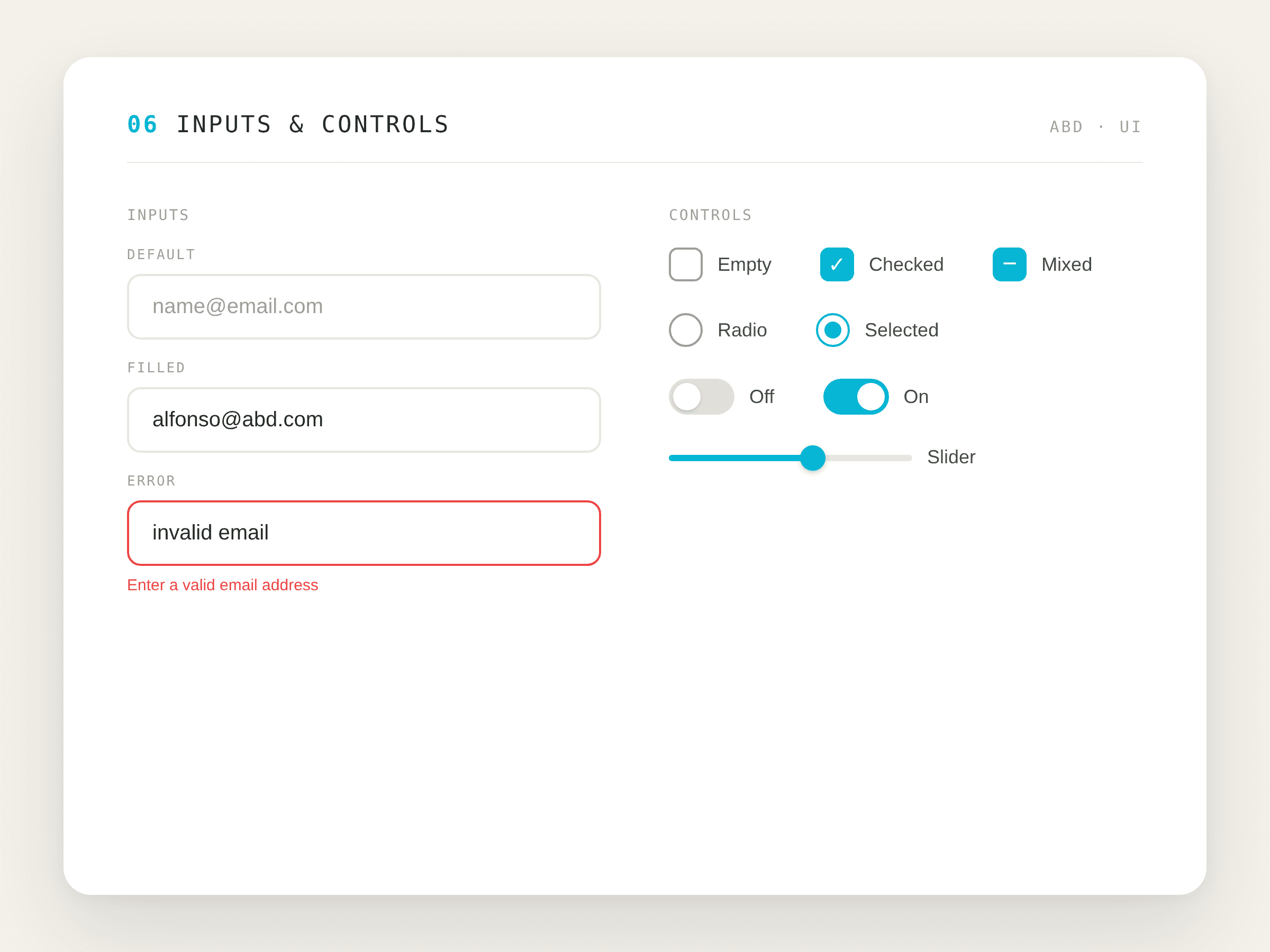
Every interactive component is scoped to a matrix: Primary / Secondary / Tertiary / Ghost crossed with Default / Hover / Focus / Disabled. Inputs are documented through their failure states, not just their happy path. Cost: the combinatorial work is heavy up front. Benefit: a new screen composes from finished states instead of generating fresh decisions, so nothing gets invented at 4pm on a deadline.
One source, four formats
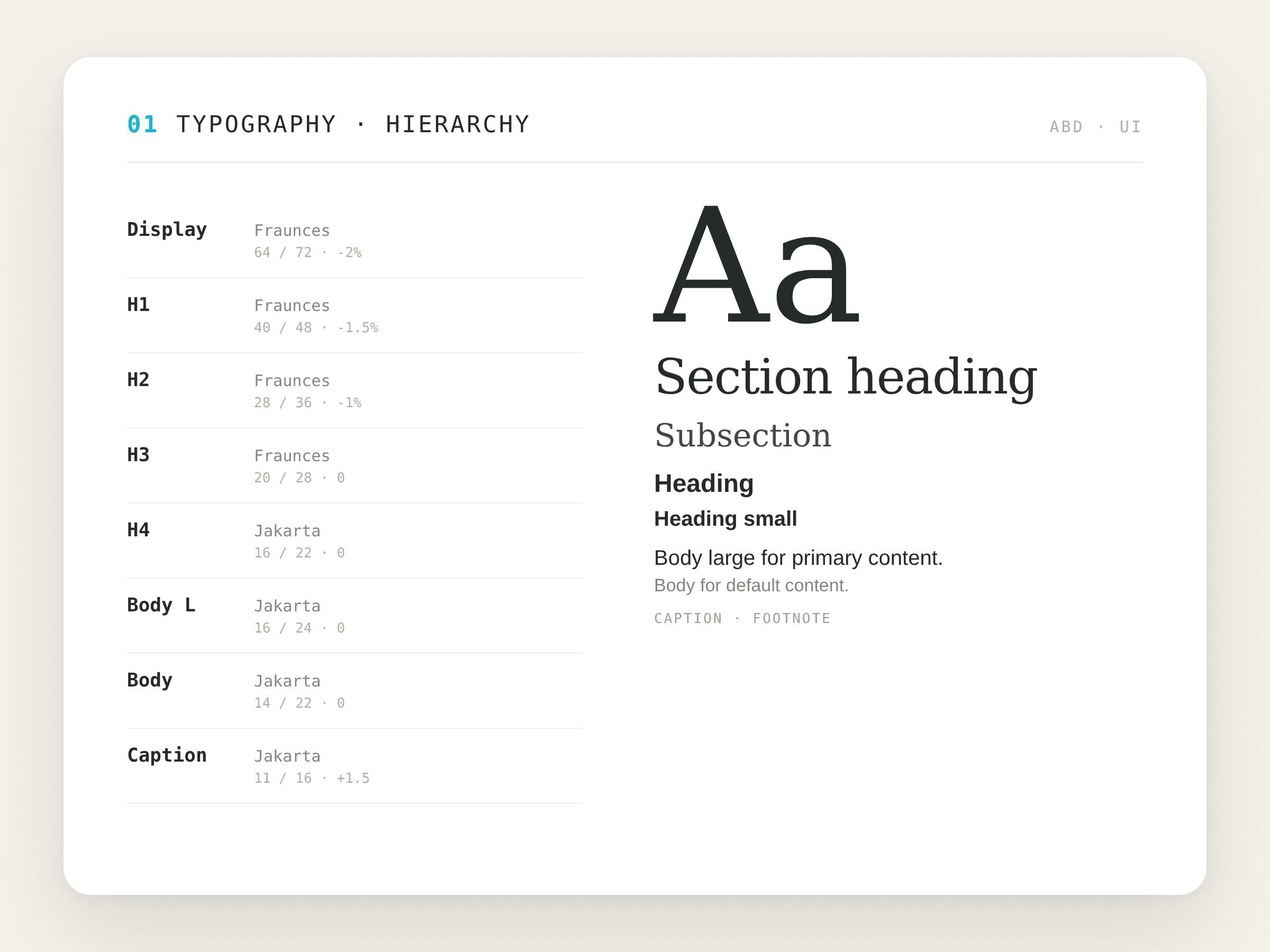
Tokens are authored once and exported to CSS custom properties, TypeScript semantic aliases, JSON, and a Figma library. The architecture runs three tiers: CSS variables as the source of truth, TypeScript aliases for brand-aware naming, and Tailwind utilities consumed in components. Cost: a build step to maintain. Benefit: design and code never drift, because they read from the same file. One change propagates to every format in a single pull request.
Accessibility as a floor, not a review
The accessibility floor, 4.5:1 contrast, visible focus rings, and reduced-motion support, is verified by automated check, not by remembering to look. Cost: test setup. Benefit: it can't be forgotten, and it doesn't depend on me being careful on the day.
Outcomes & what good looks like
This is a production system, not a concept, so the measures are operational, not vanity metrics:
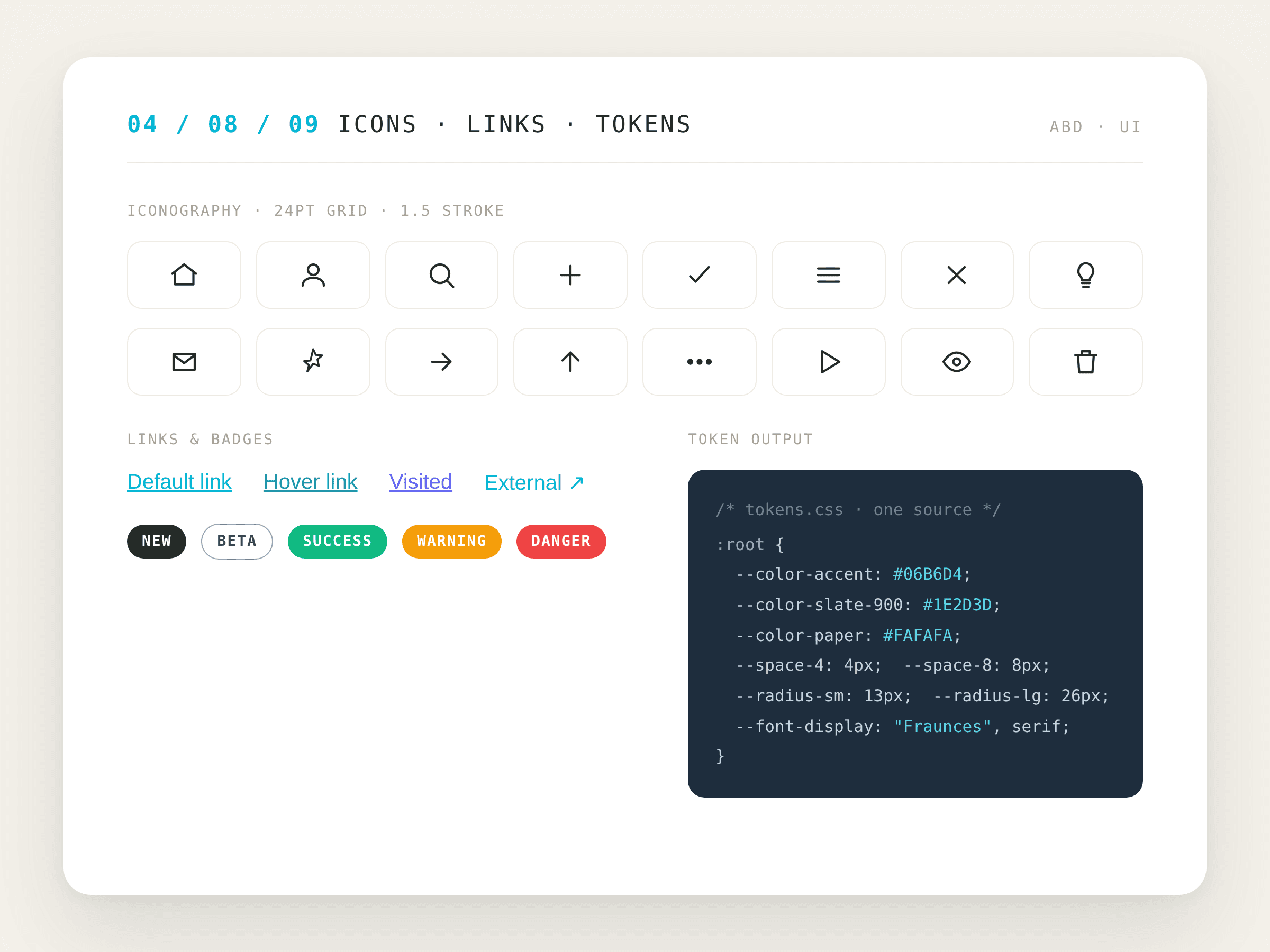
- 120 components, 15 color tokens, one type scale, 16 icons, all consumed across Alpha Beta Design client builds from one library.
- Four output formats from one source. A token change propagates to CSS, TypeScript, JSON, and Figma in a single pull request.
- A new component lands in the library within an hour of design lock, because it composes from existing tokens and states.
- The accessibility floor is verified automatically, so contrast, focus, and motion aren't re-litigated per project.
The discipline
The system isn't the components. It's refusing one-off values: every spacing and color decision routes back to a token. That's the unglamorous work that keeps a product consistent as it grows.
What I'd watch
The honest limits. A solo-maintained system is fast to evolve and fragile to a bus factor of one: the architecture is documented, but the judgment about when to add a component versus compose one lives mostly in my head. The token layer is proven across marketing and brand sites; it has not yet been stress-tested by a dense, data-heavy product UI, which is where role-based tokens earn or lose their keep. That's the next thing I'd pressure-test.
Next case study
Men's Sole Revival: a foot health resource for men over 40. →